Updated for firmware 3.00.00 (first published 01.25.2025).
1.Introduction
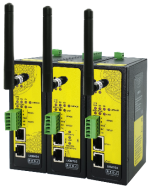
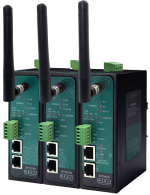
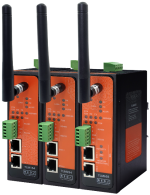
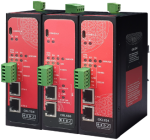
The STG series provides a cutting-edge solution for converting Wireless M-Bus (WMBus) OMS (Open Metering System) data to Modbus protocols, enabling seamless integration between advanced metering systems and industrial automation platforms. STG Series WMBus Gateways receive Wireless M-Bus (WMBus) telegrams of meters over the air, decrypt and parse them, and make the meter values available as Modbus registers and as MQTT messages. The STG154, STG254 and STG655 serve up to 128 meters, the STG154 Lite up to 20.
2.Why Convert WMBus OMS Data to Modbus?
Wireless M-Bus is the preferred communication protocol for smart meters, transmitting real-time utility consumption data wirelessly. However, industrial control systems like SCADA and PLCs primarily rely on Modbus for data exchange. The STG series bridges this gap, ensuring metering data can be integrated into industrial systems for centralized monitoring and control.

3.Features for Modbus Conversion
Unlike general-purpose data parsers, the STG series is tailored specifically for converting Wireless M-Bus OMS data to Modbus protocols. Key features include:
• WMBus to Modbus TCP: meter values are read as Modbus TCP registers; up to 10 TCP clients at the same time, for example several Modbus TCP masters.
• WMBus to Modbus RTU: meter values are read as Modbus RTU registers by one Modbus RTU master on the RS485 or RS232 port (STG154 Lite: RS485).
• MQTT in addition: in both Modbus functions MQTT publishing can be switched on, and the same meters are then published to an MQTT broker at the same time.
• Transparent functions: received telegrams are passed to TCP/IP clients or to the serial port; clients can send telegrams to the air.
• Decryption: AES-128 in security modes 5, 7 and 128.
• Diagnostics: the Device Status and WMBus Status pages show for every meter whether it is heard and decrypted, and the commissioning report lists the Modbus registers of every meter that has been heard.
4.Step-by-Step Guide to Using the STG Series for Modbus Conversion
1. Choose the function: on the Operating Mode page set Device Function to WMBus - Modbus TCP Gateway (and MQTT Publisher) or WMBus - Modbus RTU Gateway (and MQTT Publisher), save and restart the device (Management page, Reboot Device).
2. Connect the master: for Modbus TCP the master connects to the IP address of the gateway and to the Server Listening Port (factory default 502). For Modbus RTU set RS232 or RS485 (STG154 Lite: RS485), Baud rate and Line Control on the Serial Settings page as the master uses them.
3. Let the gateway hear the meters: on the WMBus Settings page Rx Package Reception Mode must be the mode the meters transmit in (factory default T - Mode). Meters transmit on their own schedule; the gateway collects every meter it hears.
4. Add the meters and their keys: press Refresh Auto Config List; every new meter appears with Add to Config checked. Type the AES key of each encrypted meter (32 hex digits), save and confirm the restart; the keys become active with this restart. Many keys can also be imported from a CSV file or a Kamstrup KEM file.
5. Give each meter a Modbus address: the Operating Mode page now holds a row for every added meter. The Modbus address of the row (1 to 247) is the unit ID the master uses for that meter.
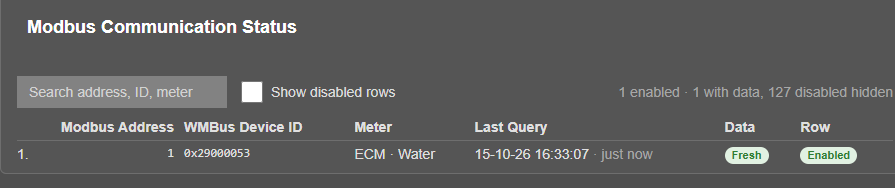
6. Check: on the WMBus Status page the meter must show Decrypted (or Not encrypted); on the Device Status page Modbus Communication Status shows Fresh in the column Data.
7. Read the registers with function 03 from address 0: a 6 register header, one 5 register block per record and 4 tail registers; the last tail register is the decryption status. A fixed read of 80 registers works for every meter.
The full example with screenshots is chapter 12 of the STG user manual; the register map and the 65 data types are in chapter 11, and a video of the example is in chapter 14.
5.Unique Applications of the STG Series for Modbus Conversion
• Industrial Energy Monitoring: Monitor utility consumption in factories and warehouses, integrating data into SCADA systems for efficiency optimization.
• Building Automation: Centralize water, gas, and electricity meter readings into a single building management system using Modbus.
• Utility Meter Integration: Enable utility providers to incorporate Wireless M-Bus OMS data into existing Modbus-based infrastructure.
• Smart City Projects: Connect smart metering data to city-wide control and analytics platforms for resource optimization.
6.Advantages of the STG Series in Modbus Applications
• Streamlined Integration: Eliminates the need for complex middleware, enabling direct communication between WMBus and Modbus systems.
• Cost Efficiency: Reduces expenses by leveraging standard protocols and avoiding proprietary solutions.
• High Reliability: measured at full load with MQTT publishing on, Modbus RTU for about 24 hours (3,406,980 answers, 0 timeouts, 162,787 MQTT messages) and Modbus TCP with 10 clients for about 24 hours (38.4 million answers, no wrong answer, 39 timeouts (0.0001 %), 160,959 MQTT messages).
• Customizability: Adapts to various project needs through flexible configuration options.
7.Conclusion
The STG series redefines the process of integrating Wireless M-Bus OMS data into Modbus-based systems. By offering robust conversion capabilities, it empowers utilities, industrial operators, and smart city developers to enhance their operations with real-time, reliable metering data. Whether addressing legacy systems or modern IoT networks, the STG series ensures a seamless, secure, and efficient solution for Modbus integration.